Gaming culture has moved far beyond a simple console, a chair, and a screen. Today, the best setups feel like a full experience, and gaming room LED lights sit right at the center of that shift. They help shape mood, depth, and focus in the room, while also making your setup look far more polished on camera or in person. Recent smart-lighting guidance even focuses on bias lighting behind monitors and screen-sync effects, which shows how much lighting now matters in immersive spaces. LEDs also bring a practical edge: the U.S. Department of Energy says residential LEDs use at least 75% less energy and last up to 25 times longer than incandescent lighting.
A great gaming room is not only about color. It is about control, comfort, and atmosphere. When the light around your desk, wall, and screen works together, the room feels calmer, sharper, and more intentional. That is why RGB setups have become such a big part of modern gaming room lighting. They can turn a plain corner into a dramatic battlestation, or a clean desk into a streamer-ready showcase. The key is to use them with purpose, not just to pile on color for the sake of it.
Why RGB LED Lights Are Essential for Modern Gaming Rooms
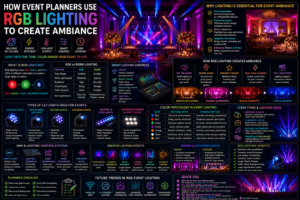
RGB lighting has earned its place because it does several jobs at once. It can create a stronger gaming atmosphere, improve the look of the room, and help your setup feel more personal. It can also support streaming backgrounds and smart-home automation, which means your room can change from “focus mode” to “relax mode” with a single tap or voice command. Philips Hue’s current gaming-room guidance leans heavily on monitor bias lighting, desk glow, and sync-to-screen effects, which is a good signal of where modern gaming lighting is heading.
Think of RGB lights like the soundtrack of a game. They do not replace the game itself, but they set the emotional tone around it. A soft blue background can feel calm and futuristic, while a red accent can make a racing or action setup feel more intense. In a real-world setup, a player might use LEDs behind the monitor for comfort, strips under the desk for depth, and a wall-washer behind shelves for a streaming backdrop. That layered look is usually far more effective than a single bright strip blasting color everywhere.
There is also a practical side to all of this. LED technology is energy-efficient, dimmable in many products, and available in different colors and white tones, so it can handle both gaming and everyday room use. That makes RGB lighting useful in a smart gaming room where one system has to support play, work, and relaxation without becoming annoying or expensive to run.
Planning Your Gaming Room Lighting Setup
Good lighting starts with a plan, not a shopping cart. Before buying anything, it helps to decide what kind of space you are building, how big the room is, and how much flexibility you want. A compact gaming nook, for example, needs a very different approach from a large streamer room or an esports-style battle station. The best gamer room setup is the one that matches the way you actually play, not just the way a product photo looks.
Define Your Gaming Style
A competitive gaming setup usually favors clean, focused lighting with fewer distractions. You want enough glow to keep the room comfortable, but not so much color that it becomes noisy or visually tiring. A casual gaming room can be more playful, with extra color layers and decorative lighting. Console setups often benefit from TV backlighting and corner accents, while streaming rooms need a camera-friendly balance between background flair and face illumination.
Esports-inspired rooms usually go harder on symmetry, sharp contrast, and strong accent lines. A more relaxed casual room may lean toward warmer tones, softer gradients, and a less aggressive layout. The important part is to pick one style first and let the lighting support it. If the room is meant to feel sleek and focused, do not force in ten different colors just because the strip lights can do it.
Determine Room Size
Small gaming rooms work best with simple, layered lighting. Too many bright sources can make the space feel cramped, so it is usually smarter to use a few well-placed zones rather than lighting every surface. Medium rooms give you more freedom, especially if you want to mix desk lighting, wall accents, and a ceiling glow. Large gaming spaces can support stronger feature lighting, like panels, lamps, and dedicated background zones for streaming.
Room size also changes how far the light needs to travel. In a smaller room, one strip behind the desk may be enough to build atmosphere. In a larger room, that same strip may disappear unless it is paired with wall light, floor glow, or illuminated shelving. That is why room size should shape your budget and your product choices from the start.
Set a Lighting Budget
Entry-level setups usually focus on one or two strips, maybe with a smart bulb or a small lamp. Mid-range setups can add monitor backlighting, app control, and a few more decorative zones. Premium ecosystems often combine synced lighting, wall panels, smart controls, and automation so the whole room reacts as one system.
A smart budget is not about buying the cheapest item in every category. It is about spending on the lights that will have the biggest impact first. For most people, that means bias lighting behind the screen, under-desk glow, and one strong accent feature for the wall or corner. Once those are in place, the room already feels upgraded.
Best Types of Gaming Room LED Lights
Different light types do different jobs. That is why the best RGB LED lights for gaming are usually a mix of products, not a single hero item. Some are better for background glow, some for task lighting, and some for visual drama. LEDs are available in many forms, from strips and bulbs to task lighting and dimmable color-capable products, which makes them flexible enough for almost any room layout.
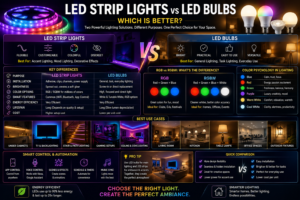
RGB LED Strip Lights
LED strip lights for gaming room setups are the most versatile option for a reason. They can run behind desks, along shelves, under furniture, or around the back of a TV. They are easy to hide, easy to shape around edges, and ideal for creating that floating look that makes a setup feel cleaner and more modern. Philips Hue’s gaming guide specifically points to light behind the monitor and strip lighting along the desk as effective ways to build depth and comfort.
Smart LED Bulbs
Smart bulbs are best when you want general ambient lighting rather than a direct glow effect. They are great in lamps, ceiling fixtures, and corner lamps where you want to control the room tone without adding more visible hardware. They also make it easy to switch from gaming mode to normal room lighting in seconds.
LED Light Panels
Light panels are a strong choice when you want the wall itself to become part of the design. They work especially well in streaming backgrounds, where they can create geometric art, branded shapes, or a signature wall pattern. They are more visual than strips, which makes them excellent for rooms that need a “showpiece” element.
RGB Floor Lamps
Floor lamps are a simple but powerful way to fill empty corners. A good lamp can soften the room, add height to the lighting layout, and keep the space from feeling flat. They are especially useful in larger rooms or in setups where the desk area already has enough light and the corners need more life.
Monitor and TV Backlighting
Backlighting is one of the smartest upgrades for both comfort and immersion. Philips Hue describes bias lighting behind the monitor as one of the most effective gaming-room ideas because it increases perceived contrast and reduces eye strain. For TVs and consoles, synced backlighting can also make the room feel more connected to the action on screen.
Best RGB LED Light Placement Ideas for Gaming Rooms
Placement is where average setups become great ones. You do not need light everywhere. You need the right light in the right place. The strongest rooms usually combine front-facing task lighting with back-facing ambiance lighting, so the player sees clearly while the camera or wall behind them still looks exciting. Philips Hue’s 2026 guidance specifically highlights lighting behind the monitor, along the desk, on shelves, and in sync with TV or PC content for stronger immersion.
Behind the gaming desk is one of the easiest and most effective placements. It creates a soft halo that separates the desk from the wall and makes the setup look cleaner. Behind monitors, bias lighting helps the screen stand out without making the wall harsh or dark. Around the ceiling, LEDs can create a broader wash that makes the whole room feel larger and more polished.
Under the desk is another smart location because it adds depth without shining directly into your eyes. Behind shelving units, lights can turn collectibles, controllers, and game cases into part of the decor. Around wall panels, the LEDs help the shapes stand out and create a premium look. Behind TVs and consoles, a backlight can improve contrast and make console gaming feel more cinematic.
The best rule is simple: place lights where they create layers, not glare. If a light source causes reflections on the monitor or blasts directly into your face, it is in the wrong spot. If it adds depth, contrast, or atmosphere without distraction, it is doing its job.
Best RGB Colors for Different Gaming Experiences
| Gaming Activity | Recommended Colors | Effect |
| FPS Games | Red, orange, white | Sharp, intense, alert |
| Racing Games | Blue, neon green, electric purple | Fast, futuristic, energetic |
| RPG Games | Purple, teal, deep blue | Immersive, cinematic, fantasy-driven |
| Strategy Games | Cool white, blue, soft cyan | Focused, clear, calm |
| Streaming | Brand colors, soft white, pastel accents | Clean, professional, viewer-friendly |
| Relaxation | Warm white, amber, soft pink | Comfortable, low-stress |
Color choice changes the room’s emotional temperature. Bright reds and oranges feel active and aggressive, which can be great for competitive sessions. Blues, purples, and cyan tones usually feel more immersive and futuristic, which is why they show up so often in RGB gaming setup photos. Warmer tones are better when the goal is to relax, watch content, or keep the room from feeling too intense after a long session.
A good rule is to match the lighting to the type of energy you want in the room. If the game is fast and competitive, lean into sharper colors and higher contrast. If the goal is a longer session where comfort matters more, use softer gradients and dimmer tones. The room should help your mood, not fight it.
Smart Features to Look for in Gaming Room LED Lights
Smart features are where modern lighting becomes really useful. The best systems let you adjust color, brightness, timing, and scenes from your phone or voice assistant, which means your room can adapt instantly to different activities. Google says compatible smart bulbs can be controlled through the Google Home app, sometimes with the maker’s app and possibly a bridge or hub. Apple’s Home app also supports HomeKit and Matter accessories, including lights, and Amazon supports lighting and other smart-home device categories through Alexa and Matter.
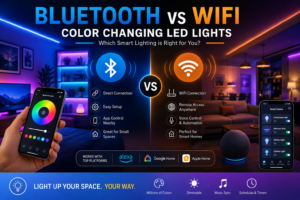
WiFi control is useful when you want everything accessible through an app or remote home system. Bluetooth can be handy for quick local control, especially in smaller setups. Voice commands are ideal when your hands are busy gaming or streaming. Music sync features are fun for casual rooms, and dynamic effects are useful when you want the lights to feel alive instead of static.
Scheduling and automation matter more than people think. You can set a softer evening scene, a bright work scene, and a full gaming scene that changes automatically. If you use Apple Home, Google Home, Alexa, or Matter-compatible products, this becomes much easier to manage across your room and other devices. The real goal is convenience: the lighting should disappear into the experience, not become another thing you have to constantly adjust.
Gaming Room Lighting Layout Examples and Step-by-Step Guide
A budget gaming setup might use one RGB strip behind the monitor, a simple under-desk strip, and a smart bulb in a nearby lamp. That alone can create a big visual change without overcomplicating the room. A mid-range RGB setup can add a second strip for shelves, a floor lamp in the corner, and app-based presets for game night, work, and streaming. A premium streaming room setup can combine backlighting, wall panels, sync lighting, branded color scenes, and voice automation so the entire room feels coordinated.
Here is a practical step-by-step way to build the room:
- Define your setup goals. Decide whether the room is mainly for competitive gaming, streaming, console play, or relaxed mixed use.
- Measure your space. Mark the wall lengths, desk width, shelf height, and the distance between monitor and wall.
- Choose the lighting types. Pick strips for edges, bulbs for ambient light, panels for decoration, and backlighting for the screen.
- Plan the lighting zones. Separate the room into desk, wall, corner, and background areas so each zone has a purpose.
- Install the LED fixtures. Start with the largest visual zones first, then add smaller accent lights after the core layout is working.
- Configure smart controls. Connect the lights to your preferred app or assistant, then test scenes and schedules.
- Create custom gaming scenes. Build presets for FPS, racing, streaming, relaxing, and late-night play.
A simple checklist helps too: measure twice, test before sticking, hide cables, keep the screen free of glare, and tune brightness before deciding a setup is finished. The best rooms usually look good because they were planned from the wall outward, not because the owner kept adding random pieces at the end.
RGB LED Strip Lights vs LED Light Panels
| Feature | LED Strip Lights | LED Light Panels |
| Cost | Usually lower | Usually higher |
| Installation | Simple and flexible | More involved |
| Customization | Great for edges and outlines | Great for shapes and patterns |
| Visual Impact | Clean, subtle, layered | Bold, decorative, statement-making |
| Streaming Use | Excellent for background glow | Excellent for camera-visible branding |
Strips are usually the best first purchase because they are flexible, affordable, and easy to hide. Panels are better when you want the wall itself to become part of the room’s identity. If the goal is to improve the room quietly and effectively, strips usually win. If the goal is to build a visual centerpiece for a stream or showcase wall, panels usually feel more impressive.
The smartest approach is often not one or the other. A lot of great rooms use strips as the base layer and panels as the feature layer. That gives you both practical lighting and visual personality.
Creating a Streaming-Friendly Gaming Room
A streaming room needs to look good through a lens, not just to the human eye. That changes everything. Background lighting should be soft enough to avoid harsh shadows but strong enough to create shape and depth behind you. Camera-friendly lighting works best when the face is lit separately from the wall, so you do not end up with a bright background and a dark person in the frame. Philips Hue’s recent gaming content also emphasizes sync effects, wall accents, and lighting that reacts to the screen, which fits the needs of streamers who want an immersive but polished backdrop.
Brand color themes help too. If your channel colors are blue and purple, use them as accents rather than flooding the whole room with one flat tone. That gives the background identity without making it look like a neon sign. You can also use accent lighting on shelves, collectibles, or wall art to give viewers something interesting to look at between matches.
Viewer engagement is not just about lighting in the literal sense. A well-lit room makes the setup feel intentional, and intentional setups feel more trustworthy and memorable. That matters whether the stream is casual, competitive, or educational. When the room looks like a place where content is made carefully, people notice.
Common Gaming Room Lighting Mistakes to Avoid
The biggest lighting mistake is usually too much brightness. Bright does not automatically mean better. If every surface is lit hard, the room loses depth and starts to feel flat. The second mistake is poor placement, especially when lights reflect directly into the monitor or camera.
Overusing multiple colors can also make the room look chaotic. RGB works best when there is a clear palette or a controlled gradient, not when every strip is fighting for attention. Cable management matters too, because messy wires can ruin even a beautiful lighting layout. And finally, do not skip layered lighting. A room with only one light source often feels incomplete, no matter how expensive that light is.
The fix is usually simple. Lower brightness, separate the screen from the wall, use one or two main colors, and hide the cables before finalizing the layout. Good lighting should make the room feel easier to use, not harder.
Energy Efficiency and Cost Considerations
LED lighting makes sense for gaming rooms because it is efficient, long-lasting, and flexible. The U.S. Department of Energy says residential LEDs use at least 75% less energy and last up to 25 times longer than incandescent lighting, while another DOE resource says LEDs can use up to 90% less energy and that switching them on and off does not reduce their lifetime the way it does with some fluorescent lamps. That means RGB lighting can be stylish without being wasteful.
“LEDs use up to 90% less energy and last up to 25 times longer.”
For real-world cost thinking, the biggest savings come from choosing LEDs over older bulb types, using dimming instead of full brightness all the time, and building scenes that only light the zones you actually need. A room with smart automation can also reduce wasted use because lights can shut off or dim automatically when you are away. Maintenance is usually low, which is another reason LEDs fit gaming setups so well.
In simple terms, RGB lighting is not just a style upgrade. Done well, it is an efficient and controllable system that improves the room without turning it into a power-hungry hobby.
Conclusion
A great gaming room LED lights setup is part design, part comfort, and part personality. It gives the room a stronger identity, makes long sessions easier on the eyes, and creates the kind of atmosphere that feels exciting every time you sit down. With the right mix of strips, bulbs, panels, and backlighting, you can turn almost any corner into a polished RGB gaming setup that looks great on camera and feels even better in person. Philips Hue’s current gaming guidance, along with official smart-home support from Google, Apple, and Alexa, makes it clear that connected lighting is now a core part of modern room design.
Looking for the best color changing LED lights for your bedroom? The right LED lighting can create a relaxing atmosphere, enhance your décor, and provide customizable scenes for reading, sleeping, or unwinding. Explore our guide to discover the top options and features to consider before buying.
Want to understand how smart color changing LED lights work? These advanced lighting systems let you adjust colors, brightness, schedules, and lighting scenes through mobile apps, voice assistants, or automation. Read our guide to learn about smart LED features, benefits, and how to choose the right system for your home.
Not sure whether to choose RGB or RGBW LED lights for your living room? Understanding the difference can help you achieve better brightness, color accuracy, and ambiance. Read our detailed RGB vs RGBW guide to learn which option is best for mood lighting, smart homes, and everyday use.
Frequently Asked Questions
1) What are the best gaming room LED lights?
The best option is usually a mix of LED strip lights, a smart bulb or two, and monitor backlighting. That combination gives you depth, comfort, and flexibility without making the room feel overdesigned.
2) Are RGB lights worth it for gaming?
Yes, because they improve immersion, help the room look more finished, and make streaming backgrounds more attractive. They are also practical when you use dimming and smart scenes to match different activities.
3) Where should RGB LED strips be placed in a gaming room?
Start behind the monitor, under the desk, along shelves, or behind the TV. Those spots create layered light without shining directly into your eyes.
4) What colors are best for gaming rooms?
Blue, purple, and cyan are popular for immersive setups, while red and orange work well for more intense action-based gaming. Soft white and amber are better for comfort and longer sessions.
5) Are smart LED lights good for gaming setups?
Yes. Smart lights are ideal because they support app control, voice control, schedules, and scene changes. Google Home, Apple Home, Alexa, and Matter-compatible systems all make that kind of control easier.